Cinema 4D Holiday Ornament Shader Pack Vol. 2

Holiday Shader Pack Vol. 2

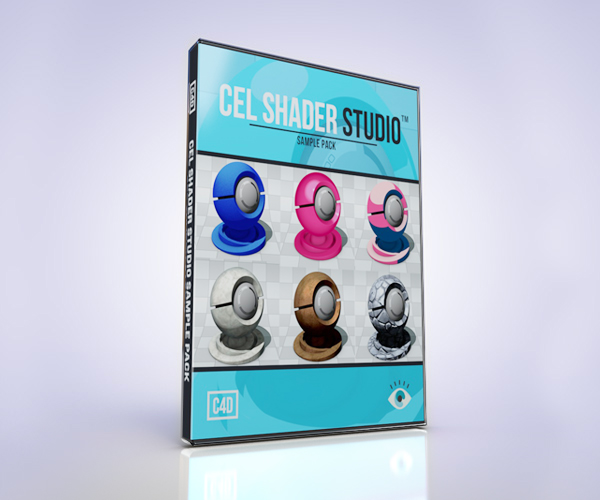
As a big “thank you” to you, the motion graphics community, I’ve updated my holiday ornament pack, now with even more goodness!  Volume 2 expands upon the very successful volume 1 pack released last year.

New in Volume 2:
• improved textures
• more than double the textures (over 50 now!)
• a second ornament type

Volume 2 Includes:
• a nicely lit scene file with two base ornament bulb models ready for texturing
• all the textures from volume 1, plus the new volume 2 textures all within the .lib4d

To install, just place the .lib4d file into your “browser” folder, restart C4D and it should show up in your Content Browser.  You can mix and match colors and textures to produce hundreds of combinations of ornaments types!  Enjoy!

Download Cinema 4D Holiday Ornament Shader Pack Volume 2

Make sure to check out my free holiday model pack for Cinema 4D from last year here!  It has presents, ribbon bows, and Christmas lights!

Bulb Types

Disclaimer:  There were a couple of these textures where Biomekk’s EnhanceC4D was used.   You’ll need to buy EnhanceC4D from Biomekk.com for a few of these textures to work.

Screen Shot 2012-12-04 at 6.26.41 PM

Thanks to @ridvanmaloku from Plastic-Pistols.com for allowing me to use his tree model.  He did an awesome tutorial on how he made his Christmas tree using Cinema 4D’s Hair module.  Check it out here:  Tree Tutorial

Free Cinema 4D Model Pack: Toy Building Blocks


Here’s a pack of free toy building block models I made using the technique I describe in my latest tutorial found here.  Check out that tutorial and make some of your own block creations!  A-Z and 0-9 blocks are included.  Get in touch with your inner child and have a play with these toys!

Neatly packed into a nice Cinema 4D .lib4d file, you can easily drag and drop the letters you need into your scene.  Enjoy!

Download Toy Building Block Model Pack Here

Create Wood Block or Cast Metal Type In Cinema 4D

You know I like me some text tutorials!  Here’s another one where I’ll teach you how to recreate a wood block or cast metal embossed type style and create it procedurally so it is easily edited and iterated without having to create a bump channel map for every letter or ever leaving Cinema 4D for Photoshop.  Using this workflow, it’s possible to perfect the look of one type block and use it as a template for the other type blocks you need for your scene by simply duplicating it and changing the shape of the block and the letter or font.

Download C4D Project File

Example:

Text Edge FX v1.4: Bevel Kit for Cinema 4D

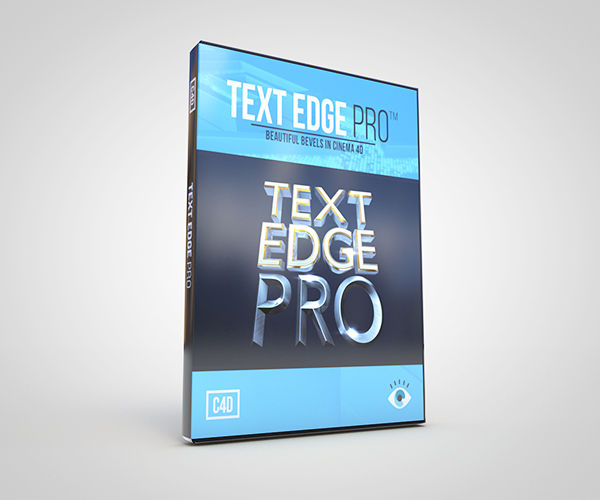
I am excited to announce the newest release of Text Edge FX, version 1.4!  Text Edge FX is a must have tool for anyone who works with 3D type or logos inside of Cinema 4D.  This is a tool that creates brilliant looking text and logos super fast!  With it, you can add custom outer, inner bevels, and edges to any text that goes above and beyond the stock bevel options in C4D!  Along with applying bevels on your type, you can also put bevels on any spline shape you bring in, whether it be a logo made in Adobe Illustrator or a spline shape made directly in Cinema 4D.  New in version 1.4 is the completely redesigned inner bevels interface with spline editor controls so you can interactively edit, save, and load preset inner bevel shapes inside the spline editor!  With it’s extremely intuitive controls, endless customizable options, and over 20 custom bevels, 15 custom inner bevels & 10 preset scene files, plus the ability to make your own custom bevel shapes, it’s essential for anyone who needs to make amazing looking text or logos instantly!

Check out Joren Kandel from The Pixel Lab‘s review of Text Edge FX here!

Add to Cart

Version 1.4 Update Features:

•  Inner Bevels with Spline Editor Controls to interactively control your inner bevel shape (Requires Cinema 4D R13 & above)
•  15 Inner Bevel presets
•  Streamlined Spline FX and Text Edge FX into one plug-in, you can now toggle between adding bevels onto your MoType object, or with a click of a button be able to apply a bevel to a custom spline, or a logo, that you make.   All you have to do is drag and drop your spline into the Custom Spline FX field.  When you want to add bevels to MoType, just check the box next to MoText FX options
•  Improved speed
•  Enhanced workflow
•  Bug fixes
•  R14 support

Other features include:

• 10 TEFX preset style scene files
• Gorgeous looking text or logos, super fast!
• Infinite bevel options
• Full control of bevel & text subdivisions & phong angle
• Editable capping & fillet edges
• Over 10 custom bevel splines included
• Ability to use your own custom bevels
• Simple & intuitive interface & controls
• Free point release updates

Free Cinema 4D Model: Caduceus


Just finished modeling this caduceus model for a medical animation I’m working on and releasing it for free as a “thank you” to this awesome motion graphics community I’m proud to be a part of.

Gold texture and HDRI/environment map is included.  This file is compatible with R12 & above and I also included an FBX, .3DS and an .OBJ file for those with R11 and below or any other 3D software.  And an added bonus, a C4D and OBJ format that is After Effects and Element ready, so you can use this inside of After Effects and with VideoCopilots’ “Element” plugin!

Download Caduceus Model Here

Creating Dynamic Balloons With New Aerodynamics & Morph Camera in Cinema 4D R14

The Cinema 4D R14 demo has been out for a few days now, so hopefully you’ve had a chance to check it out!   Coinciding with the demo being released, I’m releasing my first R14 related tutorial on one of my favorite new R14 features, Aerodynamics.  With the new Aerodynamics function, Rigid and Softbody objects can now interact according to their aerodynamic shape with all of the particle modifiers such as Wind, Turbulence, and Gravity.  So a balloons shape will be taken into account when floating about when a wind object is applied to it and not just float linearly.  In this tutorial, I’ll be going over all the settings to recreate a balloon being blown around realistically in a gust of wind and along the way show off some of the other R14 features such as the Morph Camera.

Aerodynamic Balloon Example:

Download balloon C4D R14 project file here

What’s your favorite new R14 feature?  Here’s a list of mine.

Watch my Spline Dynamics tutorial to recreate the balloon and string used in this tutorial.

Free Cinema 4D Model: Paper Airplane

Been playing around with Cinema R14 a lot and, in particular, with the new Aerodynamics settings new to this version.  For your downloading pleasure is a Cinema 4D model of a paper airplane (Mars rover, what?) that I’ve been using when messing around inside of R14 and something you can use when it arrives at the beginning of September.  Sorry, no airline peanuts included.

Paper textures and sky background is included.  This file is compatible with R12 & above and I also included an .OBJ file for those with R11 and below or any other 3D software.

Download Paper Airplane Model here